.png)
DNB's New Security Protocol May Restrict Access to Your Company's Data
Updated: Aug 14
Dun and Bradstreet has completed an online data security upgrade, effectively putting an end to earlier iterations of their update platforms. The new security procedures could prohibit you from being able to access the raw data in your D&B credit profile. Unless you are subscribed to a Creditbuilder, Credit Insights or another paid service, there is now only one way to view pertinent data in your D&B file: DUNS Profile Manager

D&B's new security process requires that specific owner's information be entered into the system to verify a principal's identity in order to gain access to the site — and they'll need to undergo an intense identity verification process that may include QR codes, selfies, and accessing your business bank account to verify your ownership. But DNB's new security protocol may restrict access to your company's data.
COMMOM FAQS
Why did D&B change how owners access and update their company data?
D&B implemented upgraded security and identity verification to protect business data and reduce unauthorized access. This means owners may need to verify identity before viewing or updating profile information.
What is DUNS Profile Manager, and what can I do inside it?
DUNS Profile Manager is D&B’s portal for submitting company updates and initiating items like slow-payment disputes. It’s primarily designed for making changes—not for ongoing monitoring or full-file review.
Why am I being asked for intense identity verification (QR codes, selfies, bank login)?
D&B may require stronger verification to confirm you’re an authorized principal. Depending on your situation, verification can include multi-step identity checks and, in some cases, confirming ownership through business banking.
Will I be able to see all the raw data in my D&B file using this portal?
Not necessarily. Access through DUNS Profile Manager can be limited to basic raw data and a restricted view of payments, and it may not include all details that influence scores and ratings.
Can I print or save a copy of my D&B file from DUNS Profile Manager?
Typically, no. The portal is intended for submitting updates and disputes, and printing/saving the full file is generally not permitted through this access method.
What’s the most common reason business owners get stuck during setup—and how can I avoid it?
The most common issue is completing the verification steps but not saving access settings. After you gain access, return to the dashboard and accept the Terms and Conditions to finalize and preserve your access.
To submit updates or launch slow payment disputes using DUNS Manager...
Go to D&B's website
In the navigation menu, hover over D-U-N-S Number
From the drop-down panel, choose Update my Company Data
In the drop-down, choose "I have a U.S.-based business"
Fill in your business name, address, and phone and click "Search"
Find your company in the list and click on "View / Update Company Information"
Click "Continue"
Create a new login (or) Scroll down and click on Login to use an existing one
Fill in your personal information and click "Continue"
You will be required to prove your identity via a drivers license or other identification and by taking a selfie.
You may also need to provide corporate documentation that verifies your ownership or position with the company, or you may be able to login using your business bank account.
Once you have gained access to the system, go through each of the pages to update data or dispute slow payments
Review and submit your changes.
You cannot re-enter any section where changes have been submitted until the updates have been completed.
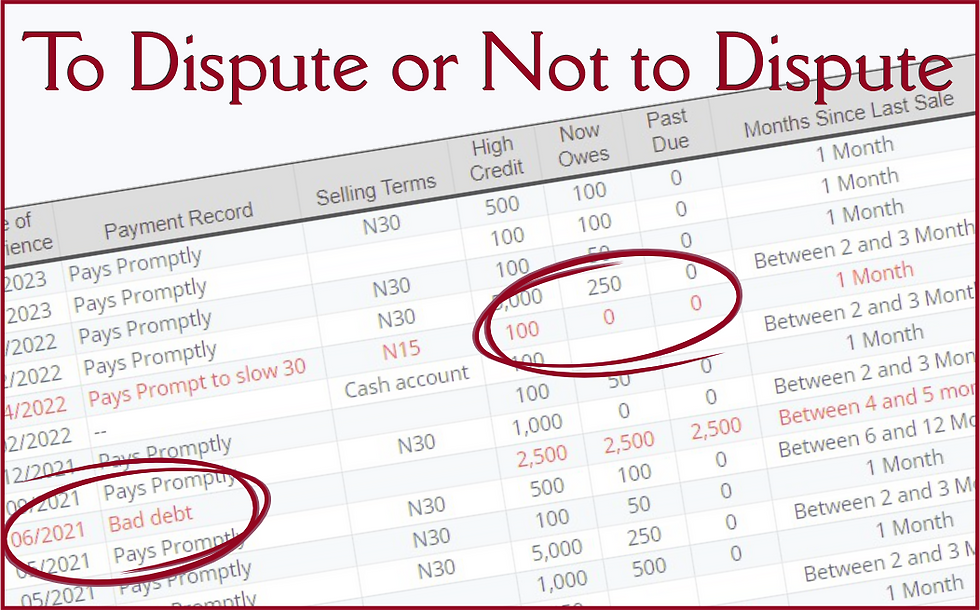
You need to know, however, that you will have access to very limited information in this system, such as basic raw data (and not all of it) and a very limited review of the payments in the file without industry identifiers.
Printing or saving a copy of the file is not permitted through the new portal, and it is intended for making changes only, not for daily maintenance or monitoring of the status of your file.
D&B's ultimate goal is, of course, to entice every business owner to either pay for a service that allows them to see the raw data that impacts their scores and ratings, or remain blind to their commercial credit file altogether.
If you need help accessing your file via D&B's new DUNS Profile Manager, give me a call. I can usually help you get access within just a few minutes, and the assistance is FREE!



Comments